

Getting Started with Super Markdown API
Super Markdown provides developers with a set of APIs that allow them to interact with the system programmatically. The goal is to automate daily or weekly tasks related to creating and managing Markdown content, according to their specific business needs.
These APIs are designed to offer seamless and flexible integration, whether you want to:
- Organize files into folders
- Automatically generate Markdown documents
- Manage reusable templates
- Or even integrate media and various utilities
Prerequisite: Creating an application
To use the Super Markdown APIs, you must first create an application within the Super Markdown platform. This quick and easy step allows you to obtain the credentials necessary for authentication.
Steps to follow :
- Log in to your personal space on the Super Markdown platform
- Go to the "For Developers" section
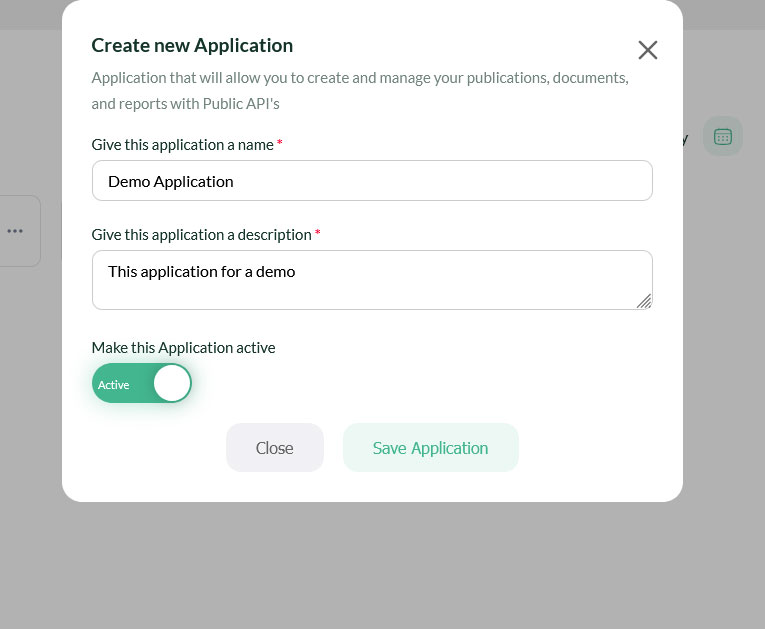
- Create a new application
- Fill in the required information (name, description, activation status)
- Confirm the application creation
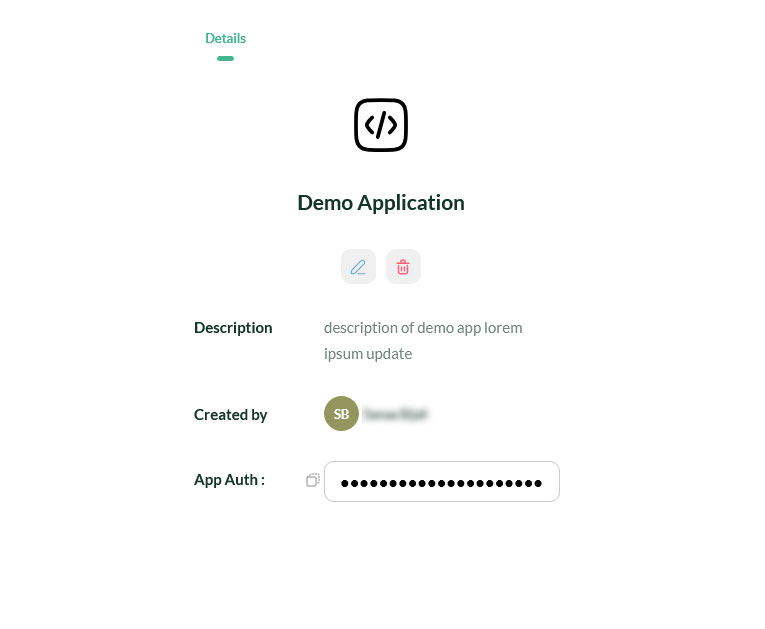
After validation, you can retrieve your unique authentication key by clicking on "more" -> "Copy the App Auth Key". This key is essential for securing communication between your system and the Super Markdown API. Keep it safe and do not share it.
Configuration test
Once your application is created and your key is retrieved, it is recommended to test your configuration to ensure that everything works correctly before proceeding further.
Test configuration of the Super Markdown API Application
Expected response:
If successful, the API returns a JSON response structured as follows:
This response confirms that your key is valid and that you are ready to use the full API functionality.
Available API Categories
To cover a wide range of use cases and provide developers with maximum flexibility, Super Markdown offers several API categories. Each category addresses a specific need in the Markdown content lifecycle.
| Category | Description |
|---|---|
| Folder API | File management system: create, read, update, delete. Allows you to organize your documents in a logical tree structure. |
| Document API | Creation, editing, deletion and transformation of Markdown documents. Main entry point for content management. |
| Template API | Management of reusable templates to standardize document creation. |
| Media API | Upload, management for integrating media files into your Markdown documents. |
| Utils API | Auxiliary tools: syntax validation, format conversion, export to other formats, etc. |
Examples of use cases
Here are some concrete examples of automation made possible by these APIs:
- Weekly report generation: A script retrieves external data, creates a document via the Document API, and places it in a folder via the Folder API.
- Cross-platform publishing: From a source file, conversion and adaptation to various formats (Markdown, HTML, PDF, Docx) via the Utils API.
- Shared template library: A writing team uses the Template API to maintain templates common to all projects.
- CI/CD pipeline: Integration with GitHub Actions or GitLab CI to automatically generate documentation with each commit.
- Transform AI-generated Markdown into visually appealing documents using the APIs.
- There are countless use cases for you to leverage our APIs in your workflow.
-
Folder API
-
Document API
-
Template API
-
Media API
-
Utils API
What's Next ?
- LLM Integration : Getting Started with LLM Integration
- AI Agent Support : Getting Started with AI Agent Support
- Fréquents Questions : A collection of frequently asked questions related to the platform
- Integration with GitHub : Super Markdown offering GitHub users an additional presentation layer.
Need help ? Our team is here to support you. Contact us or check our FAQ.