

Getting Started with Custom templates
Custom templates are a must-have for any professional content creator whether you're a developer, project manager, analyst, scientist, or freelancer. They help you maximize productivity with minimal effort, so you can stay focused on what truly matters: the content you're creating.
The custom template feature is designed to let you build a template once and reuse it whenever you need the same content structure and visual layout. The result? Professional, consistent output every time.
With Super Markdown, you'll enjoy a simple, intuitive interface that makes it easy to create, preview, and adjust your custom templates to fit your organizational and structural needs. Once your templates are ready, you can apply them to any document with a single click. And if you need to fine-tune things further, you're free to modify both content and component settings directly within your documents giving you full flexibility to achieve results that are perfectly tailored to your needs.
Create your first template
To create your first custom template, simply go to the "My Templates" page, then click the "Add" button. You will be redirected to an editor page like the screenshot above:
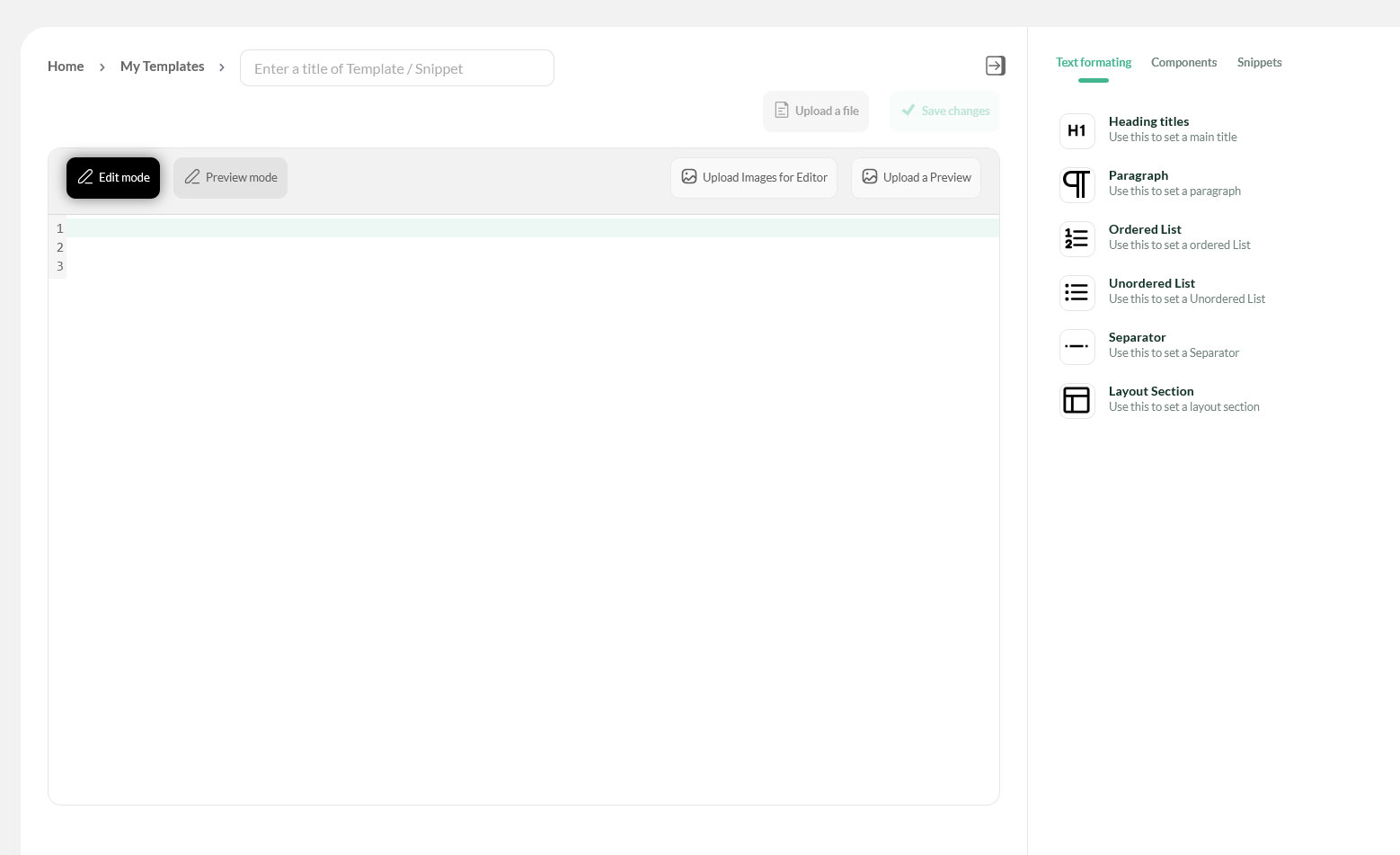
This page brings together a set of tools designed to simplify the process of creating your custom template. Here's what you'll find:
- A Markdown code editor fully compatible with Super Markdown, allowing you to modify your content quickly and efficiently.
- An "Upload a file" button that lets you upload a file from your local machine and insert it directly into the Markdown editor. From there, you can edit the content seamlessly and save your template.
- A "Preview Mode" button that displays the results of your Markdown content in real time, so you can see exactly how your template will look as you build it.
- An "Upload images for Editor" button that enables you to upload images and generate dynamic URLs for your media assets. These URLs can be used directly in your Markdown document, eliminating the need for external tools.
- A sidebar featuring Super Markdown components, designed to help you insert components with ease. It guides you through the process by providing the required parameters directly within the Markdown editor.
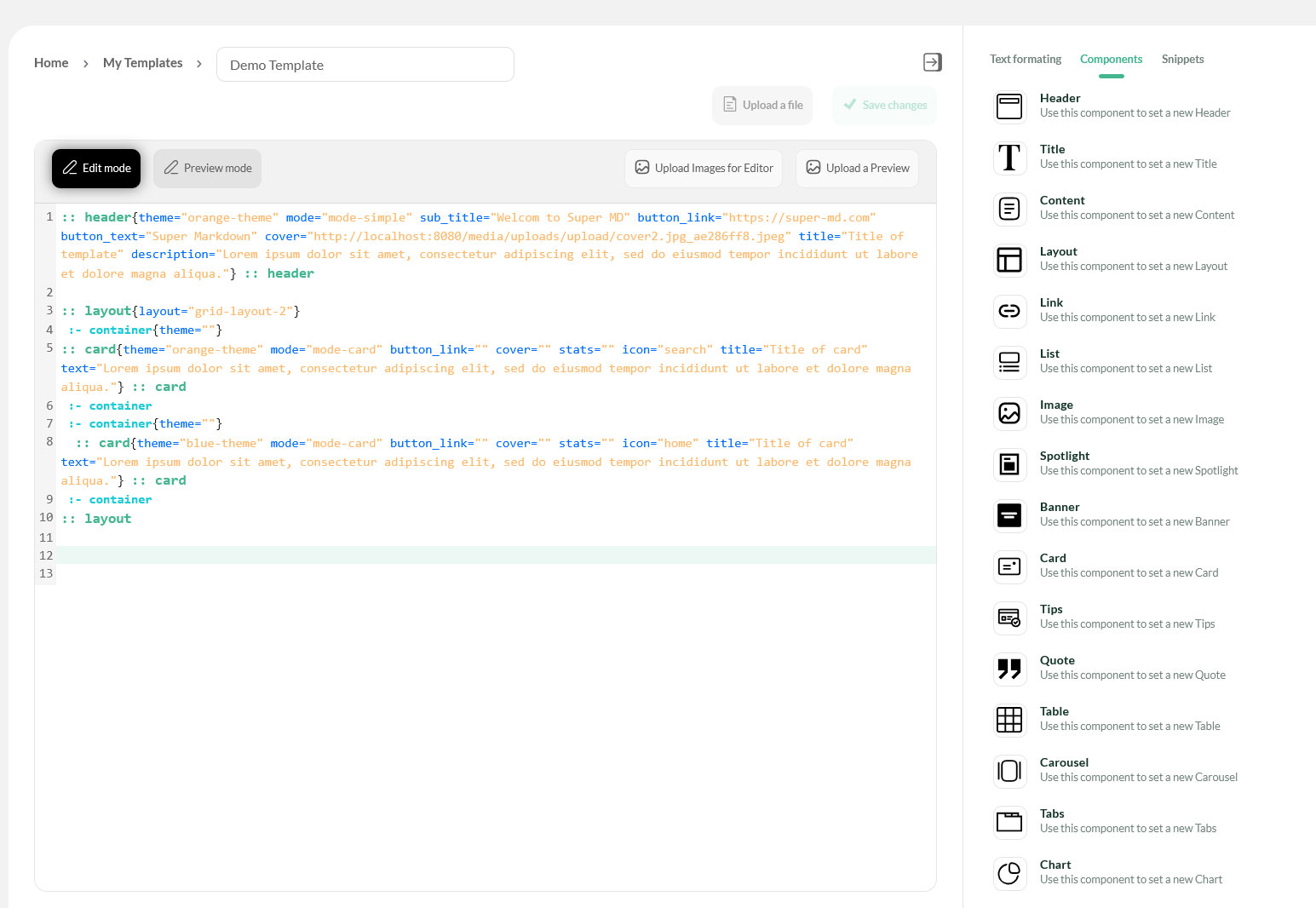
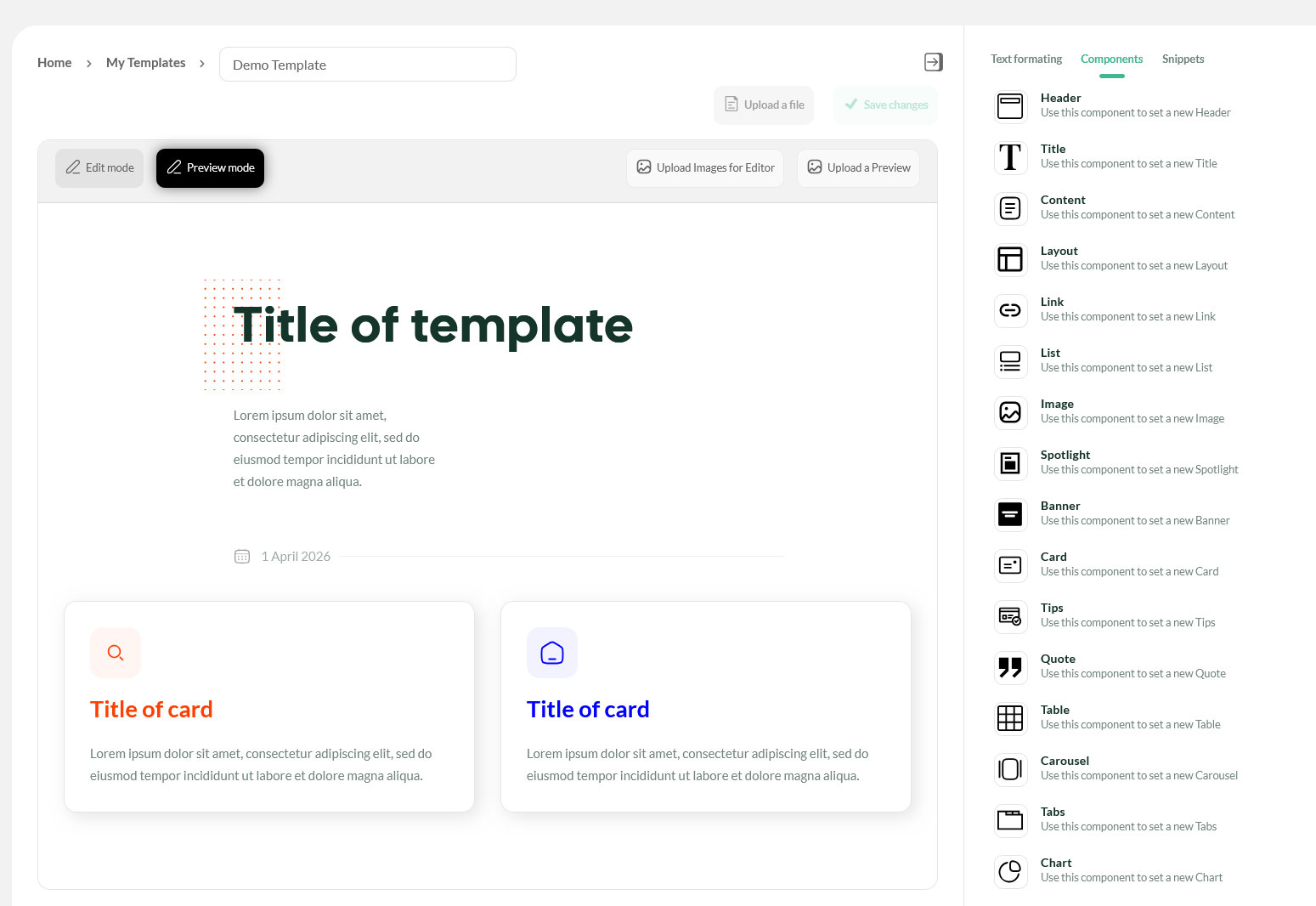
Exemple of an Custom template
The Custom Template Code Exemple
The Custom Template Code Preview
What's Next ?
- AI Agent Support : Getting Started with AI Agent Support
- Fréquents Questions : A collection of frequently asked questions related to the platform
- Best Practices : Tips for building professional documents at scale
Need help ? Our team is here to support you. Contact us or check our FAQ.